 CircuitoYA
CircuitoYA
CircuitoYA
⚡ The app by Universo Eléctrico
CircuitoYA is the app electricians use to design a complete installation: you draw the conduit route and the circuits, the meters of conduit and cable, the full material takeoff and the quote come out on their own. No AutoCAD, no Excel.
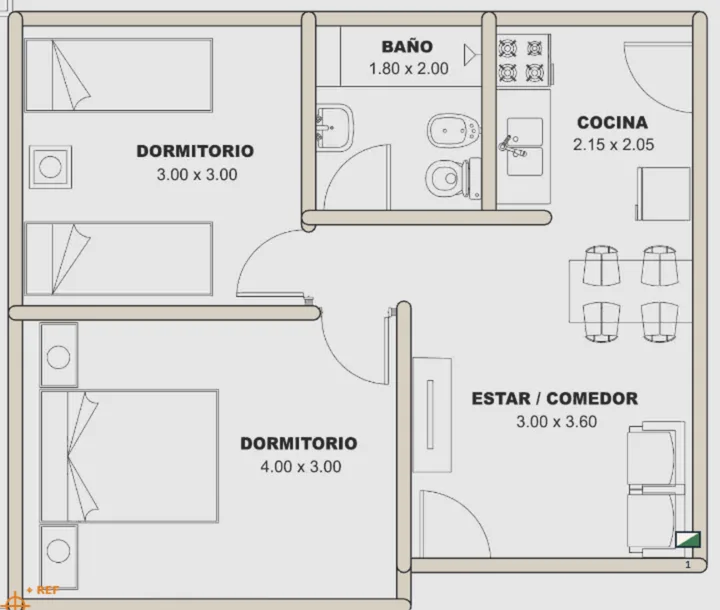
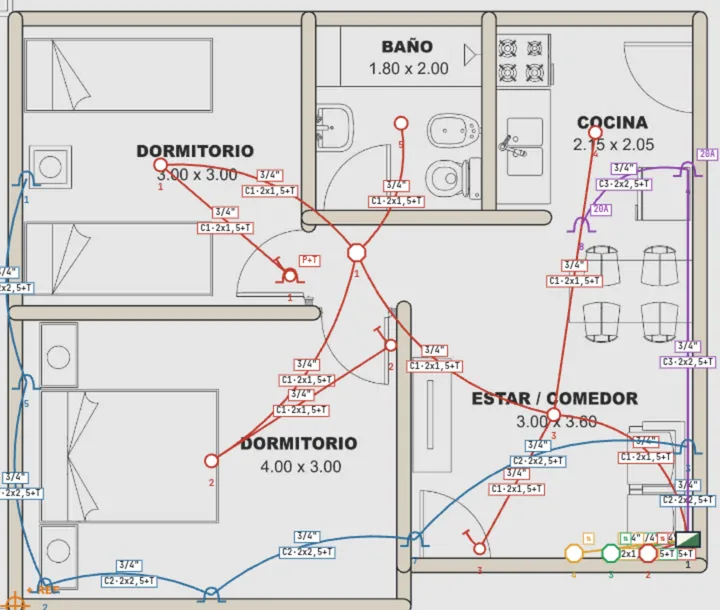


Four steps. From the client's first details to the delivered quote.
The problem isn't the work
You know how to do the installation. What's hard is planning it properly, doing a detailed takeoff and quoting it right. And all of that knowing it takes days of work.
How it works
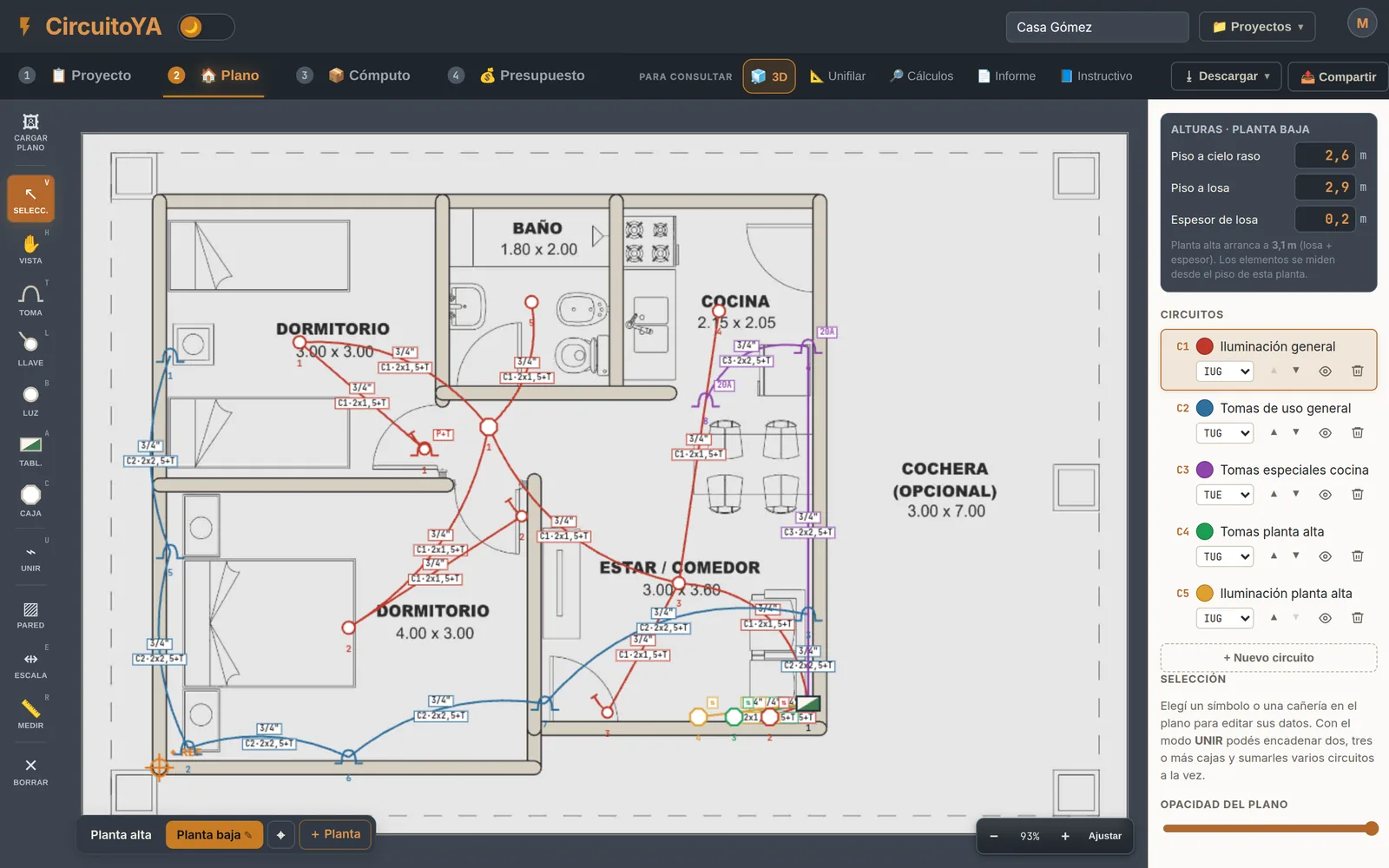
It's not a drawing program where you type the numbers in by hand afterwards. What you draw is the data: every conduit, every outlet and every socket you place on the plan is already counted in the takeoff and priced in the quote.
Client, site, address, covered area and type of installation. That defines the electrification level and the number of circuits required.
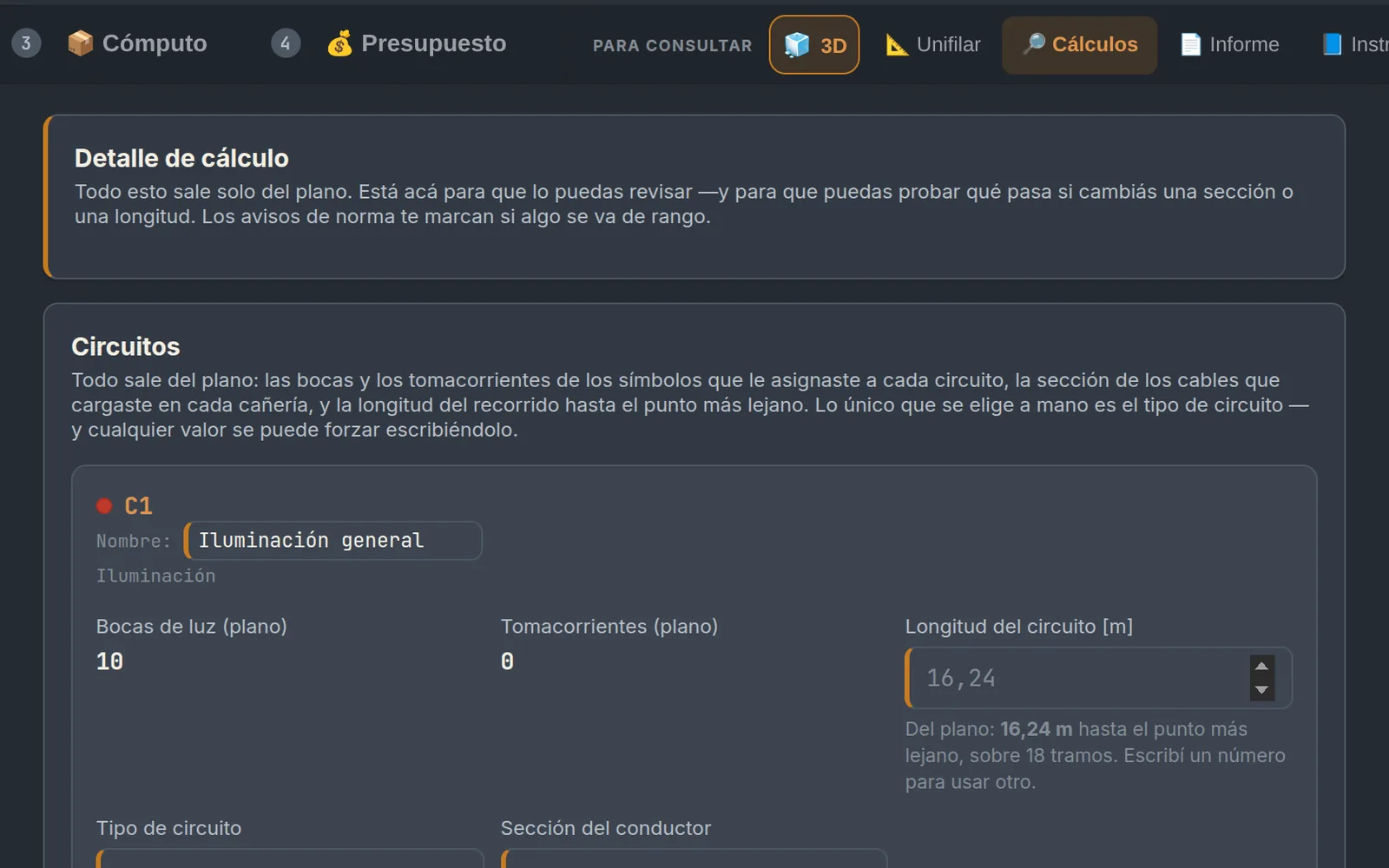
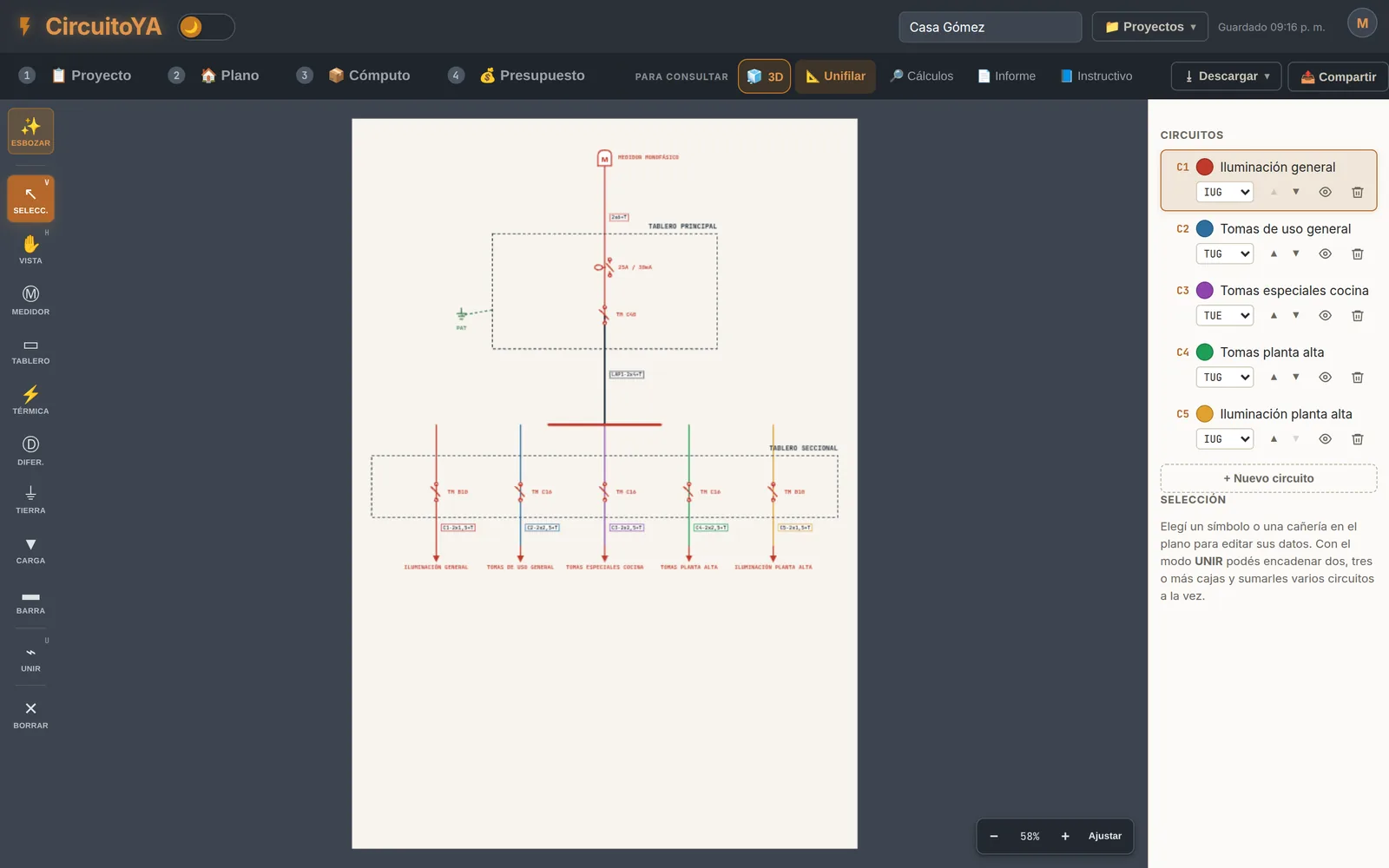
Sockets, switches, light points, boxes and panel, each with its own key. Connect the points with the conduit and the app measures the route as you draw.
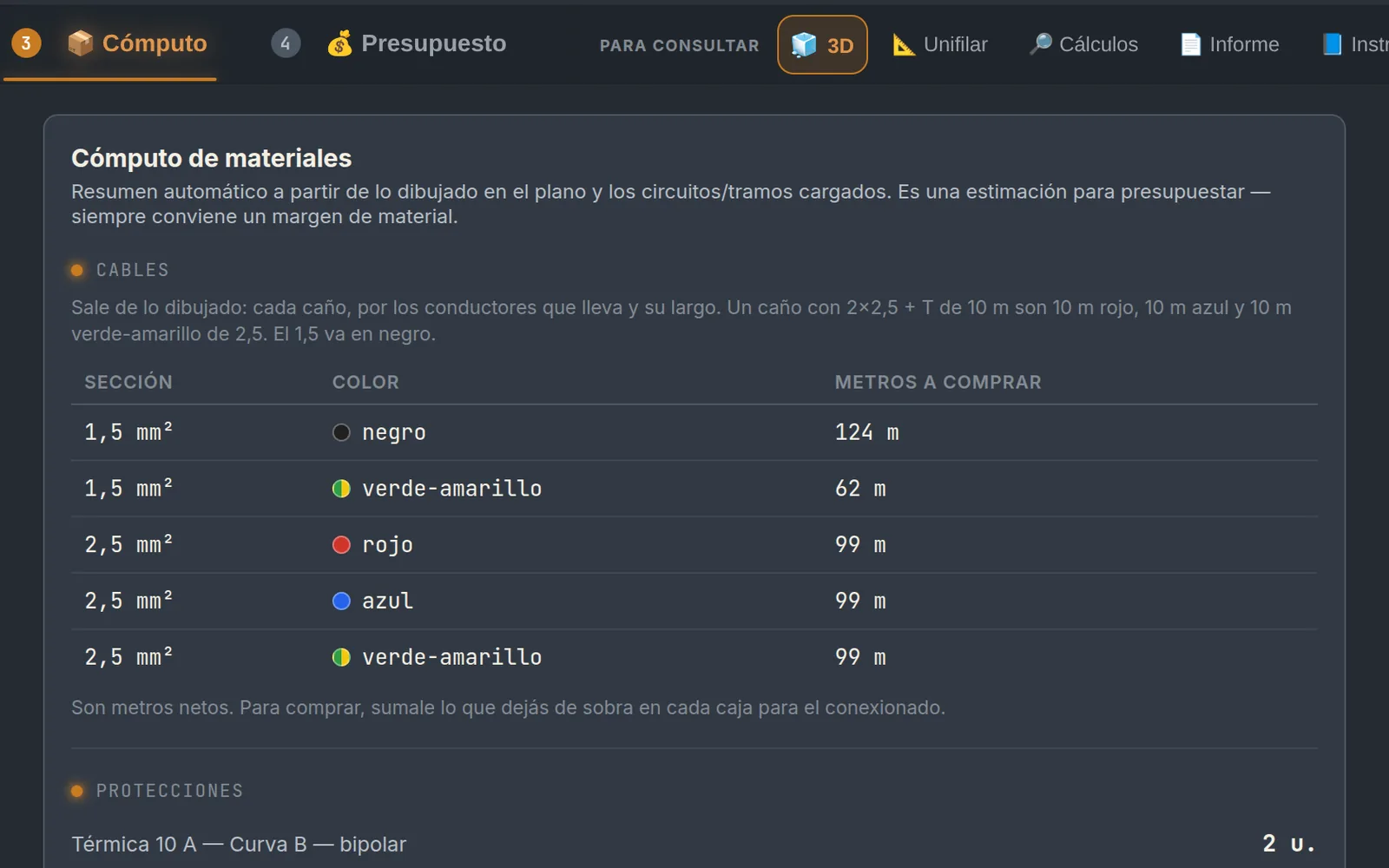
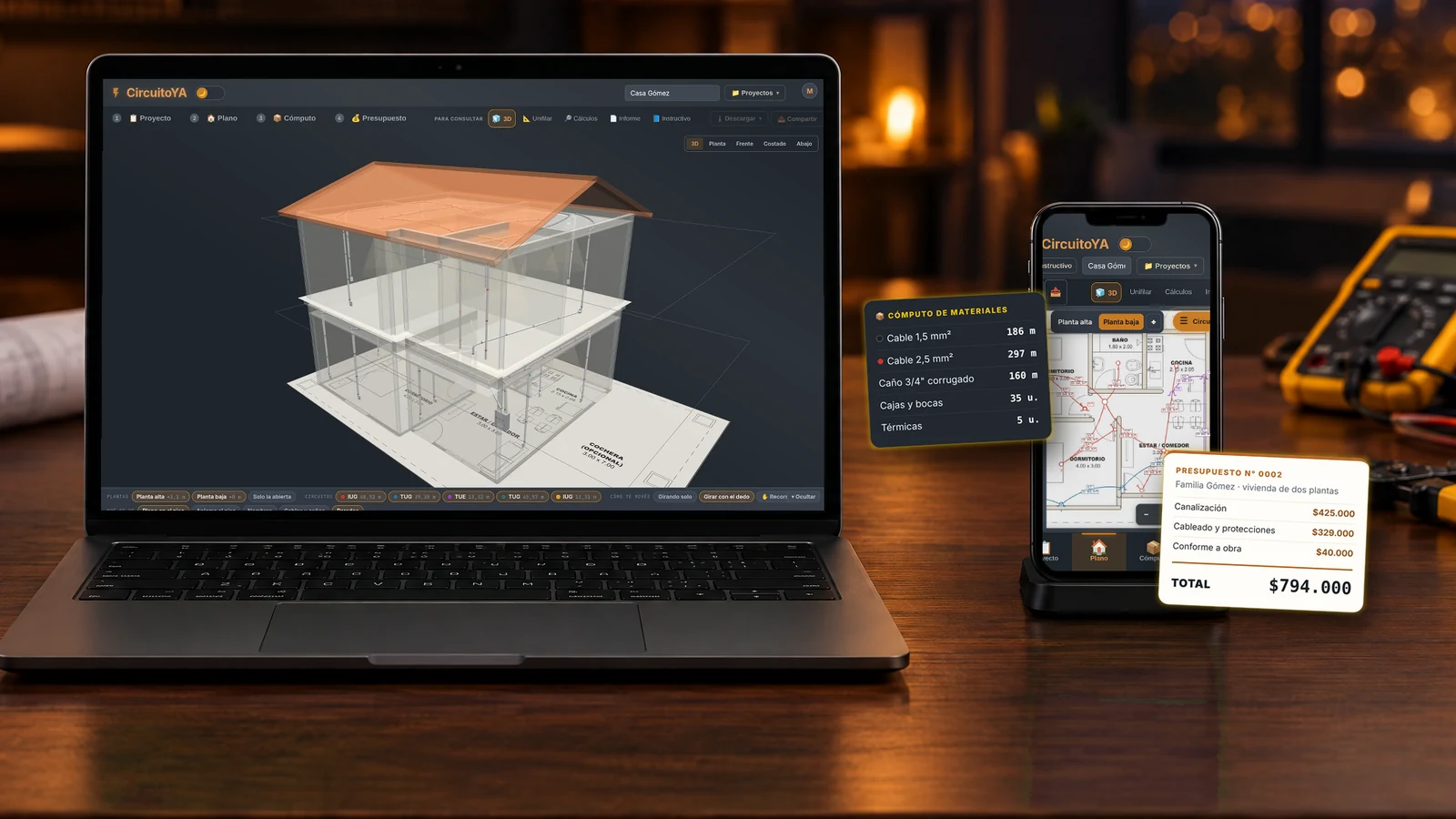
Meters of conduit by diameter, cable by cross-section, boxes, fittings. All counted from the plan, not guessed.
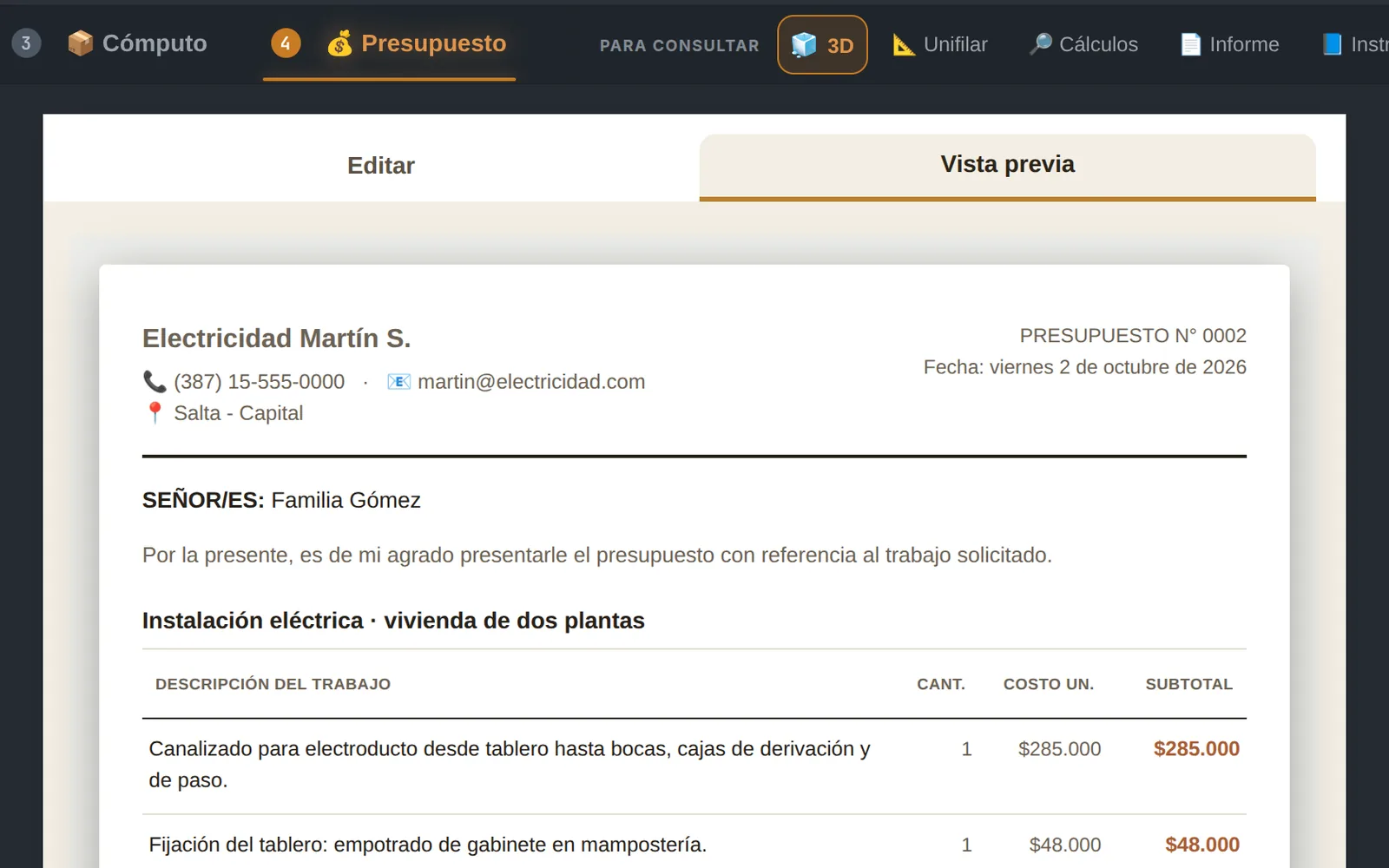
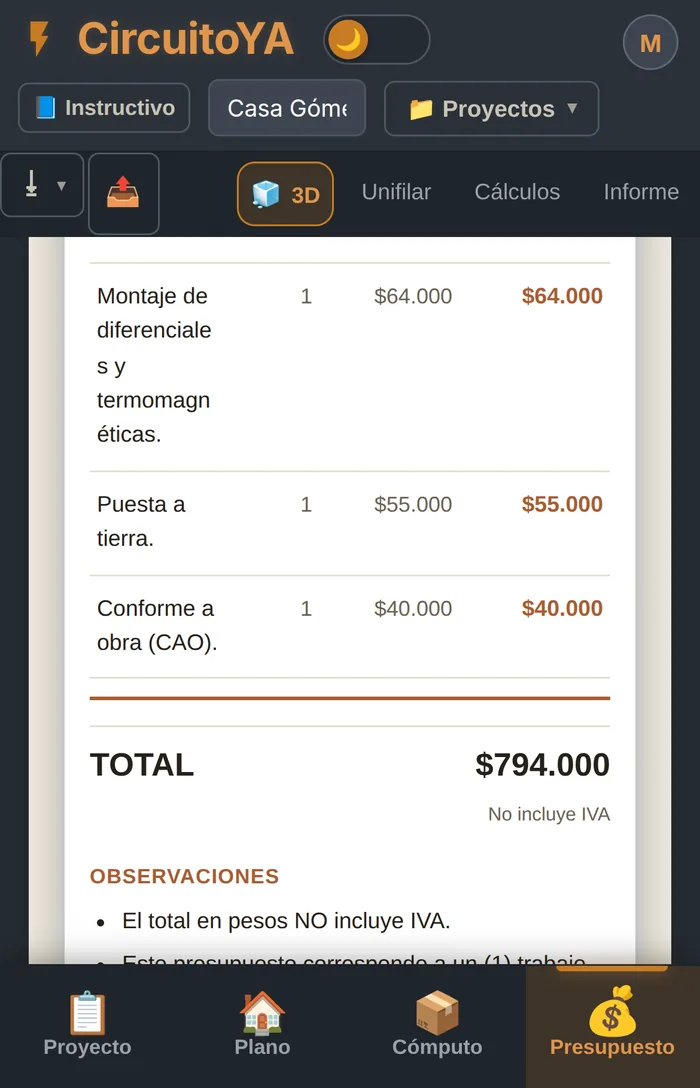
With your prices and your labor. Download it as a PDF with your logo and hand it over the same day you visited the site.
The app inside
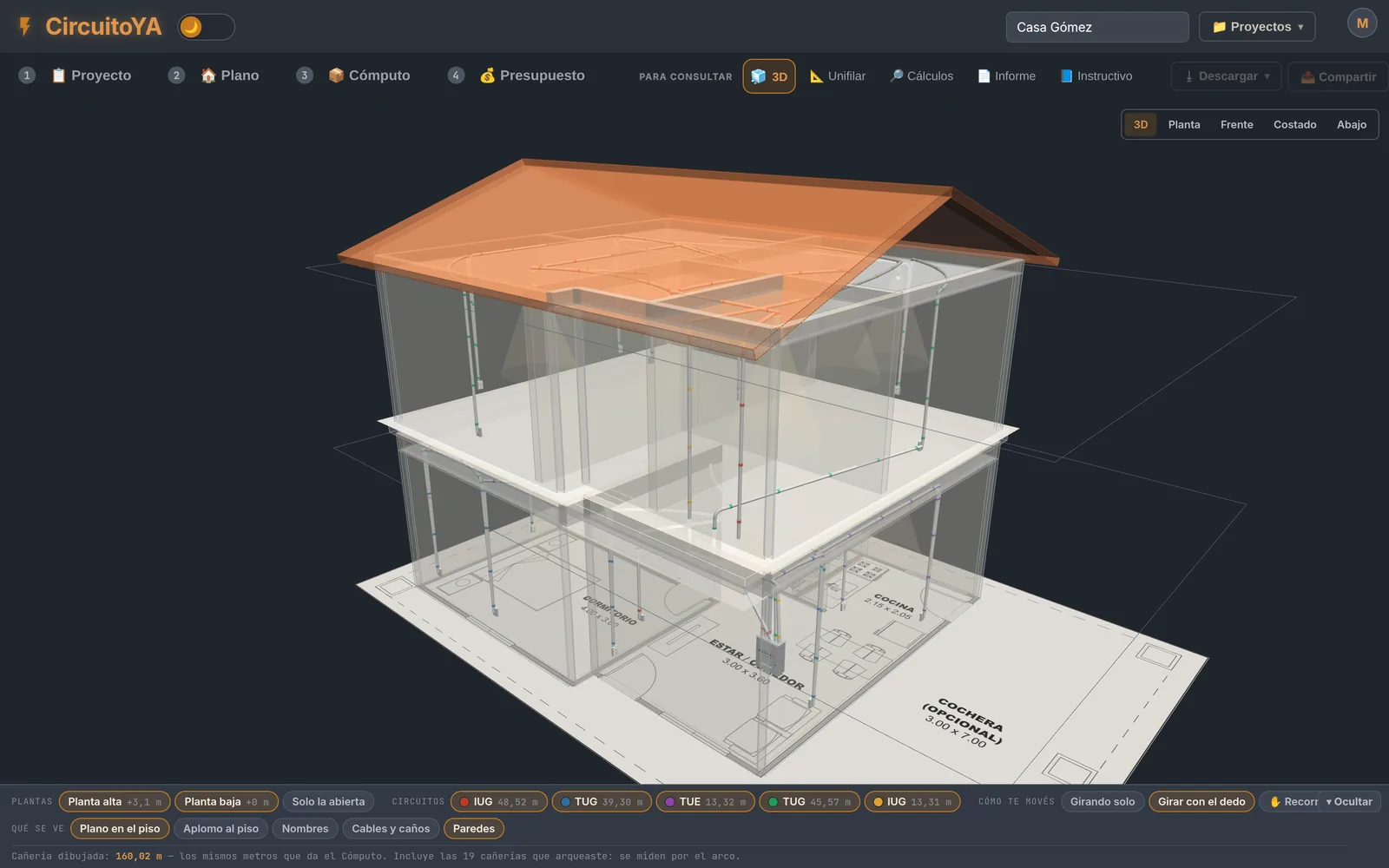
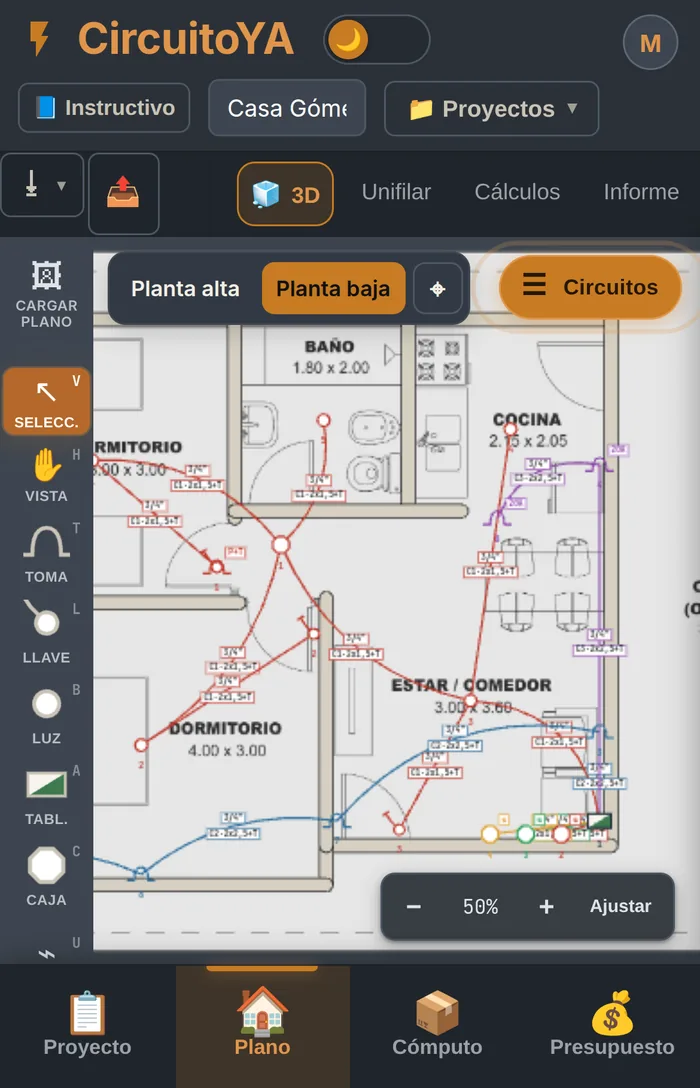
These aren't mockups: they're real CircuitoYA screens. Go from one to the next and you'll see the same project moving forward, from the plan to the quote.
New · Assistant included
It comes inside CircuitoYA. Open it whenever you want and it answers any question about using the app, without leaving the screen you're working on.
All of this, in one app
Floor plan, takeoff, quote and 3D. One payment and it's yours forever.
On site
The same app, with the four steps in a bar at the bottom. Take measurements on site, enter the route right there and leave with the quote done. It installs like any other app on your home screen, no app store needed.
Besides the app
With your purchase we create your account on the Universo Eléctrico campus. Inside is the video class that teaches you to install and use CircuitoYA step by step — not a PDF manual, a real class, the same one our program students watch.
CircuitoYA
One payment. The app is yours, with every update that comes.
7-day guarantee
Access arrives in your email, instantly
Accepted payment methods
How you get it
After you pay you automatically receive, by email, access to the CircuitoYA app so you can start right away.
You get automatic access to your account on the Universo Eléctrico campus, with the CircuitoYA app inside.
CircuitoYA is ready to use —drawing, calculation, takeoff and quote— from your computer or phone, with nothing to install and no app store.
And inside is the video tutorial that teaches you to use it step by step, from your first project to the delivered quote.
No. You pay once and the app is yours, with the updates that come out.
No, and that's exactly the point. If you know where a socket goes and where the conduit runs, you know how to use CircuitoYA. Each element has its own key and the app does the rest.
Yes. It's the same app, with the steps in a bar at the bottom. You install it from the browser onto your home screen, no app store needed.
Any kind of electrical work. A home, an extension, a shop, an office or a warehouse: you enter the site, draw the route and the app calculates, does the takeoff and quotes all the same. The calculations follow the criteria of AEA 90364 (Argentine standard).
Yours. The base price is USD 19, one-time, and on this page you see it converted to your country's currency at today's exchange rate. When you pay, you're charged in your currency when your card allows it; otherwise your bank does the conversion.
7-day guarantee.
No. Signing off a project requires a professional license, not an app. CircuitoYA prepares the work for you —the plan, the calculations, the takeoff and the technical report—; being licensed to sign it is a different matter.
As soon as the payment goes through you get an email with your campus access, where the app and the tutorial are. It's automatic: you don't have to wait for anyone to enable anything.
 CircuitoYAby Universo Eléctrico
Secure checkout
CircuitoYAby Universo Eléctrico
Secure checkout
 Universo Eléctrico
Draw the installation and the circuits, material takeoff and quote come out on their own. And you design it all in 3D, with every conduit at its real height.
Instant access once payment is confirmed
Then USD 6,99 per month for Plus. Cancel anytime; the app stays yours.
Payment
Enter your email above to unlock payment
Credit or debit card, Apple Pay or Google Pay.
Sold and backed by Universo Eléctrico
We've sent your access to .
If you don't see it in a few minutes, check «Promotions» or «Spam». Something wrong? Write to us at contactos@universoelectrico.online.
CircuitoYA app
One-time payment · yours forever